






↗

Tap “···” at the top rightand choose “Open in Safari” or “Open in Browser” to go to the App Store.

Nook Circle

Nook Circle

Your companion for island life.

An unofficial catalog, custom-design and online companion for Animal Crossing: New Horizons, used by over a million players.

For iPhone and iPad with iOS 16.6 or later.

Circle Lens
Handbook Scan
Catalog Lists
Island diary
Turnip price prediction
Weather forecast
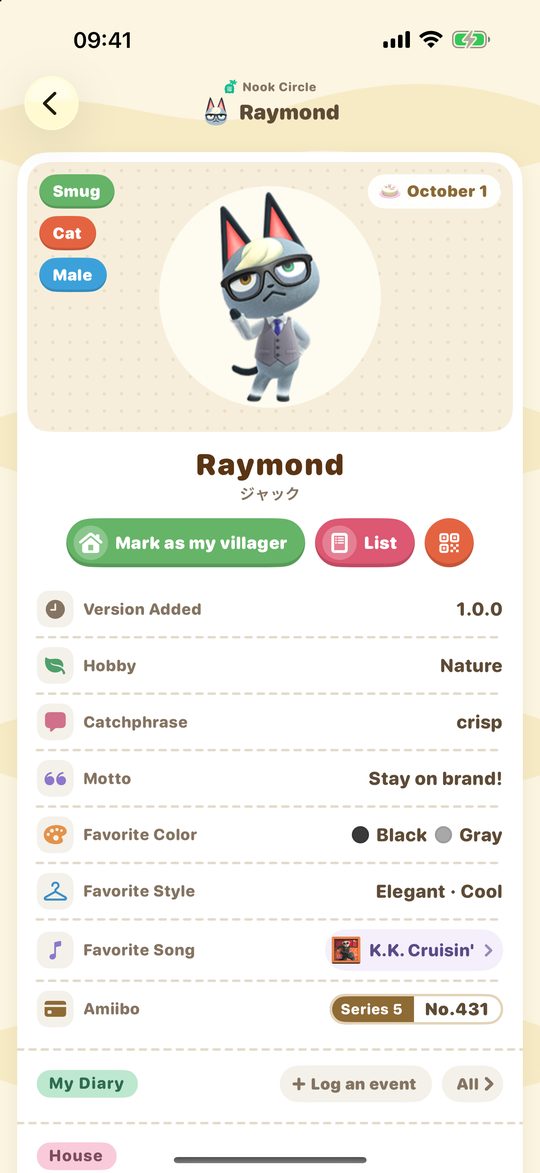
Villager details

Features

From naming what you see in the game to keeping track of everyday island life.

Circle Lens

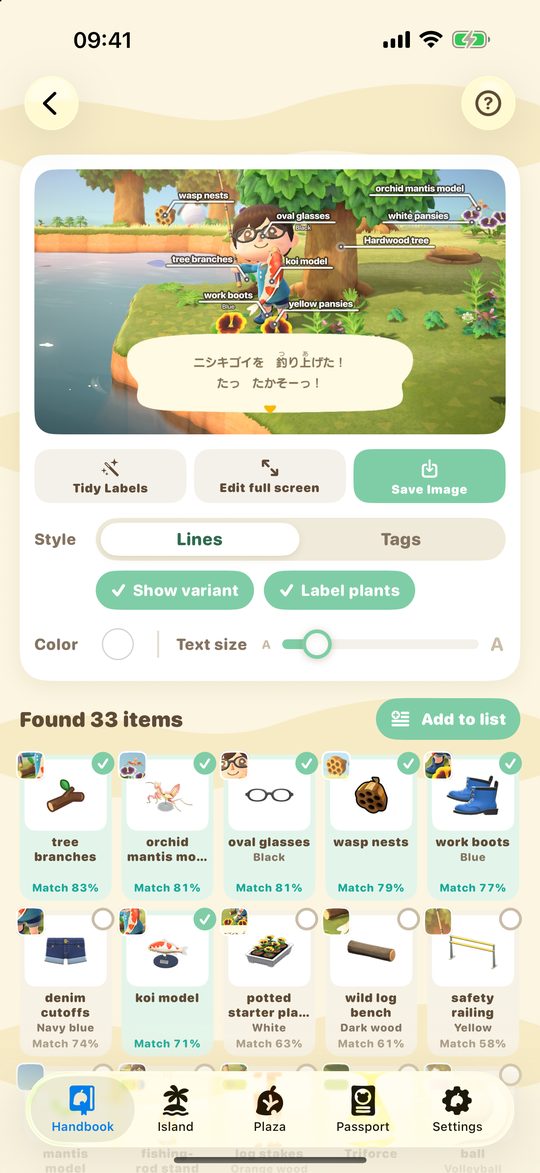
Pick a game screenshot and it finds the furniture, clothing, villagers, wallpaper and flooring, labeling each name on the image. Runs on your phone; nothing is uploaded.

Handbook Scan

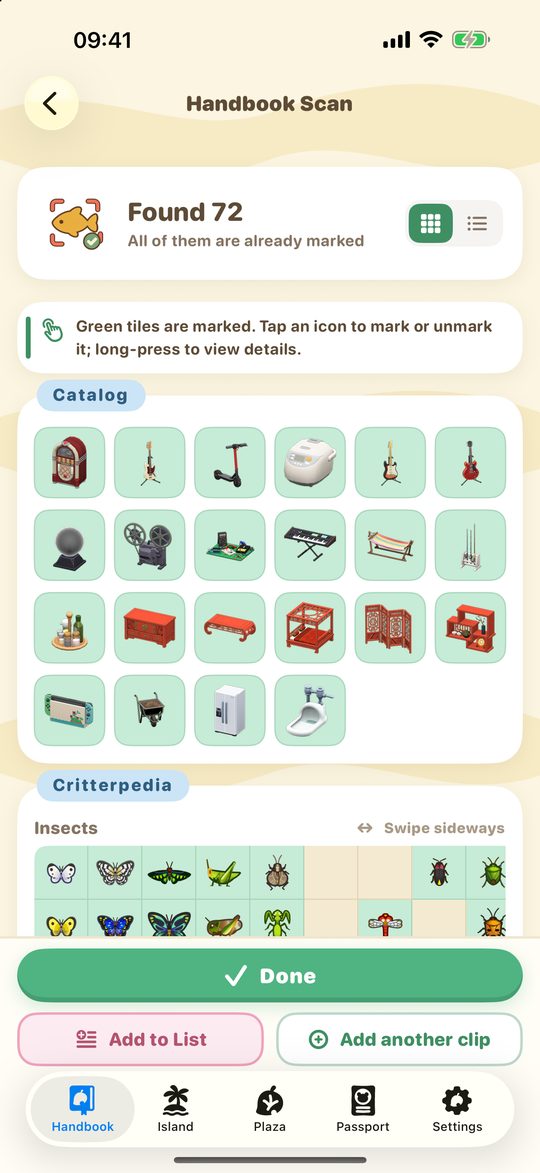
Use Switch screenshots, Switch recordings or a phone video to recognize items in the catalog, DIY recipes, Critterpedia, storage and the fitting room, then mark them all at once.

Catalog Lists

Track wants, spares and materials by variant and quantity, total up DIY materials, and share any list with a code.

Complete catalog

Villagers, furniture, clothing, creatures, DIY recipes, artwork and more, with event dates, blooming times, customization and Paradise Planning unlocks.

Turnips & online

Turnip price predictions, a turnip market, visit invitations and Dream Address posting, with room queues.

Island diary

Record what happens on your island, with a daily checklist, villager check-ins and an event calendar.

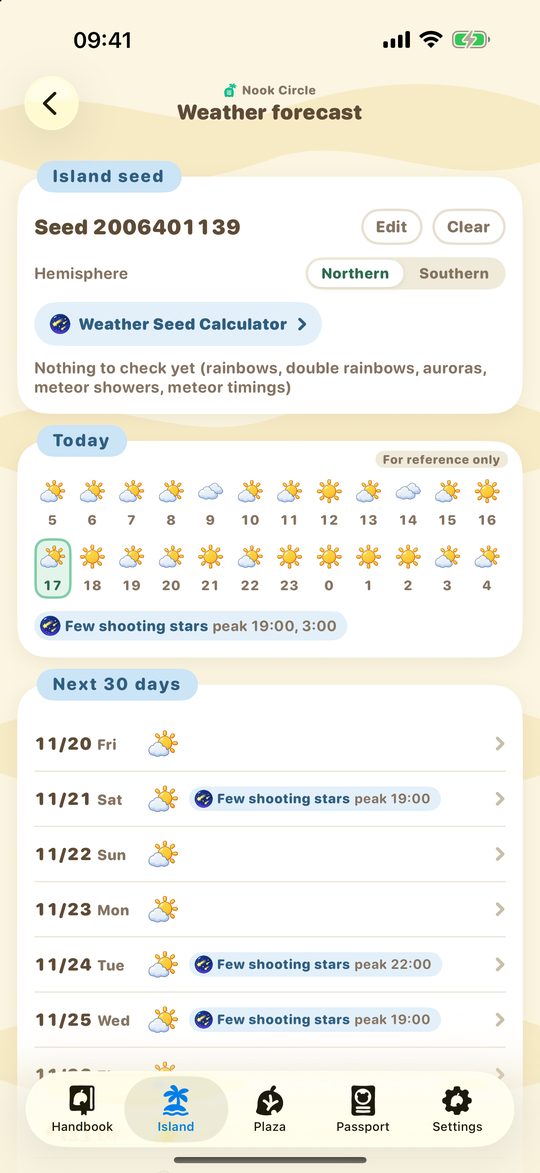
Weather forecast

Work out your island's hourly weather and meteor showers from a weather seed.

Island Planner

Lay out terrain, paths, buildings, flowers and trees on iPhone or iPad, and export the map as an image.

Pro Custom Designs

Create Pro designs for shirts, dresses and hats on your phone, with a 3D preview.

Widgets & remindersQueue progress in the Dynamic IslandGuidesMultiple saves & syncWorks with time travelLight & dark mode

Why Nook Circle

Built on a tool used by over a million players, and updated with every game version and with player feedback.

1M+players
14,592furniture & food variants
5,471clothing variants
924DIY recipes
4languages

It reads the game screen

Screenshots, Switch recordings and phone videos all work: Circle Lens names the furniture and villagers in a room, and Handbook Scan marks the catalog, DIY recipes, Critterpedia, storage and fitting room in bulk. Recognition runs on your phone.

Detail down to every variant

Every color and pattern is listed and tracked on its own, with customization costs, HHA themes and series, event dates, blooming times and exchange prices, updated with each game version.

Follows your island's calendar

Each passport keeps its own island clock, so “today” stays right even if you time travel; weather seeds are calculated on your device.

One account, every device

iPhone, iPad and iPhone Duo share one account, so catalog marks, lists and your diary follow you to a new device.

Players helping players

Post and find turnip sales, visit invitations and Dream Addresses, queue for islands with progress updates, and share any list with a short code.

Made for iPhone and iPad

Dynamic Island, Home Screen widgets, reminders, dark mode, landscape and iPad split layouts, in English, Japanese, Simplified and Traditional Chinese.

A closer look

Circle Lens: name everything in a screenshot

Circle Lens: name everything in a screenshot

Saw a room you love on a friend's island, in a dream or online, but don't know what anything is called? Pick a game screenshot from your photos (or share it to Nook Circle from the Photos app) and Circle Lens finds the furniture, clothing, villagers, wallpaper, flooring, flowers and trees, labeling each name right on the image.

  • Every match shows a similarity score; tap a label to switch to another item or change its color and pattern
  • Circle a part of the picture to scan just that area
  • Save or share the labeled image, and add everything it found to a list in one tap
  • Recognition runs entirely on your phone and screenshots are never uploaded; the first use downloads a model of about 360 MB
Handbook Scan: mark your catalog from a recording

Handbook Scan: mark your catalog from a recording

No more checking items off one by one. Use Switch screenshots or recordings, a video of your screen shot with your phone, or point your phone at the screen and flip through pages. Nook Circle reads the game screen, lists what it found in in-game order, and marks everything once you have checked it.

  • Recognizes the Nook Stop catalog, DIY recipes, the Critterpedia (fish, bugs, sea creatures), music and reactions
  • Also reads your storage and the Able Sisters fitting room, and can add the results straight to a list
  • Pause on a variant in the catalog and it picks up the color and pattern too
  • Cells it isn't sure about are marked “?” so you can confirm them one by one
Catalog Lists: keep track of what you want and what you have spare

Catalog Lists: keep track of what you want and what you have spare

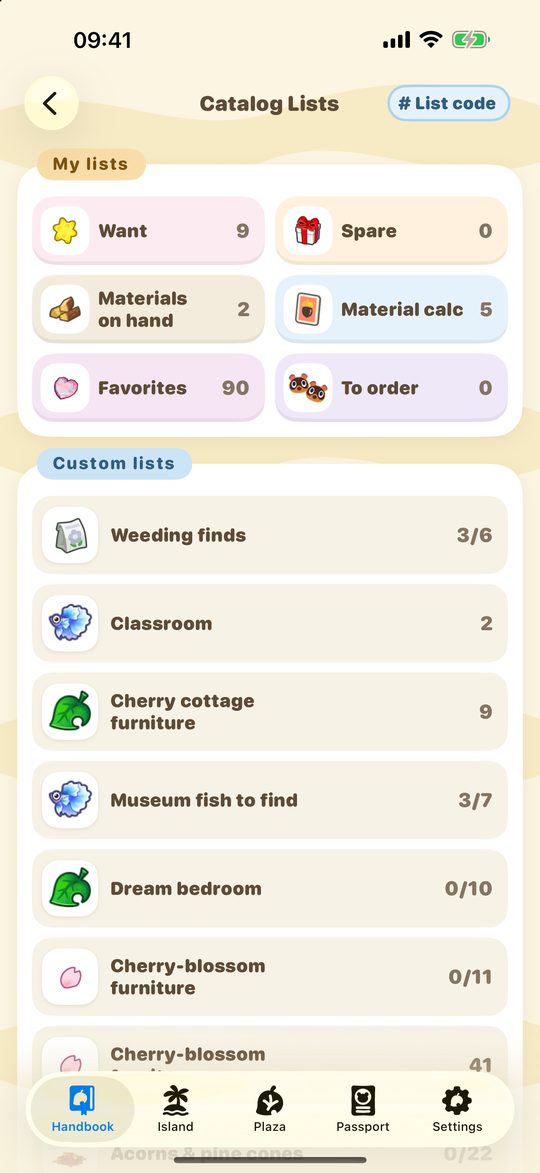
Built-in lists for wants, spares, materials on hand, material calculations, items to order and favorites, plus lists of your own. Each entry has a quantity, and different colors and patterns of the same item are kept separately.

  • Check items off a collection list as you get them; finished entries move to the bottom
  • Total up the materials for the DIY recipes in a list, compare them with what you have, and add what's missing in one tap
  • Every list has a list code you can share, or turn into a share image; copy or merge a friend's list in one tap
  • Add items while offline and they sync when you reconnect
The complete catalog

The complete catalog

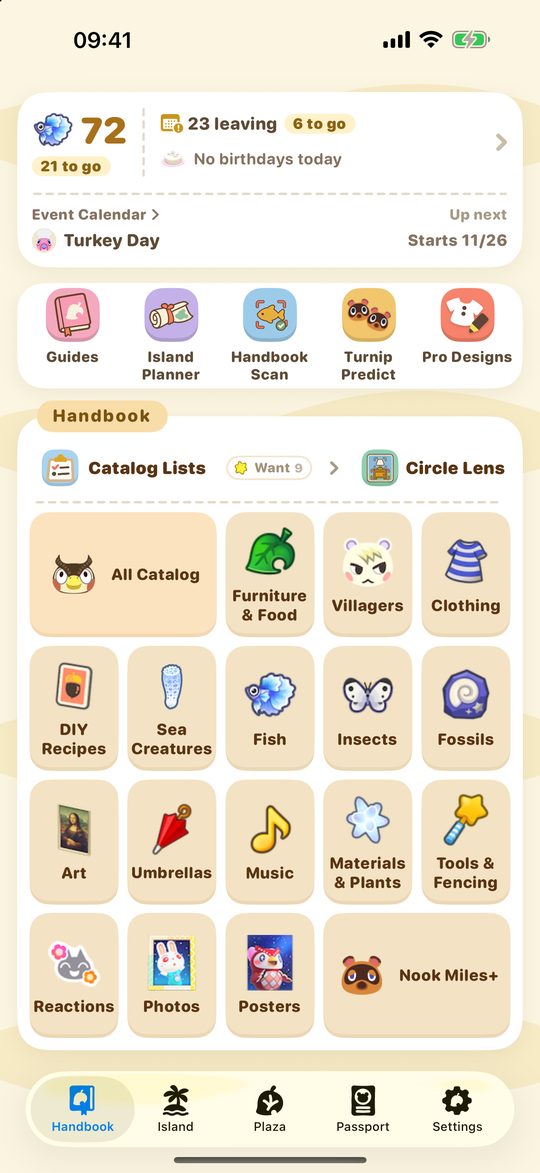
Villagers, furniture, clothing, DIY recipes, fish, bugs, sea creatures, fossils, art, umbrellas, music, materials and plants, tools and fencing, reactions, photos, posters and Nook Miles achievements, with your collection progress for each.

  • Search every category at once and filter by source, currency, customization, size, seasonal event and game version
  • Item pages show colors, customization costs, HHA themes and series, event dates, blooming times and exchange prices
  • Villager pages show personality, birthday, favorites, amiibo card number, house furniture and the items their vacation home unlocks
  • Guides are suggested by season
Island diary: island life, day by day

Island diary: island life, day by day

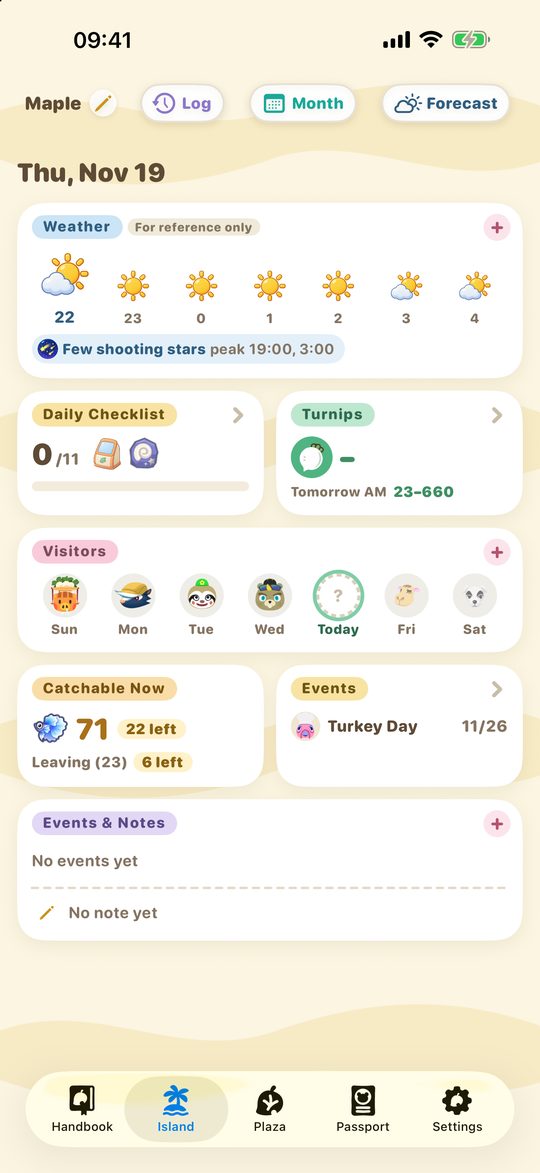
The Island page puts today's essentials together: weather, the daily checklist, turnip prices, visiting villagers and NPCs, what you can catch right now, and current events.

  • Log visitors, requests, gifts, move-ins and more, and look back by month or year
  • Visitors and turnip prices you record tick off the daily checklist automatically
  • The event calendar covers seasonal events, material seasons and blooming times, and event items go into a list in one tap
  • Each passport can keep its own island clock, so it works for time travelers too
Turnip price predictions

Turnip price predictions

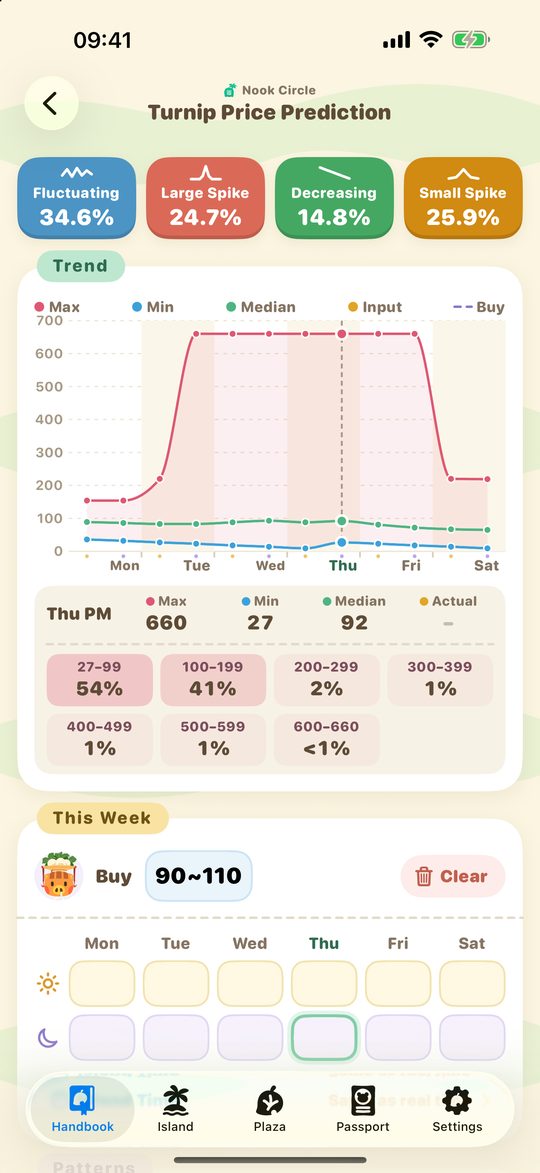
Enter your buying price and the morning and afternoon prices for the week, and Nook Circle works out the odds of each pattern (fluctuating, large spike, decreasing, small spike) and the chance of each price range.

  • Post and find turnip sales, visit invitations and Dream Addresses
  • Queue for an island and follow your place in line in the Dynamic Island
  • The weather forecast works out hourly weather and meteor showers from your seed, and can check a seed against the weather you have logged

And more

FAQ

Is Nook Circle an official Nintendo app?

No. Nook Circle is an unofficial tool made by players and is not affiliated with Nintendo.

Which devices does it support?

iPhone and iPad with iOS 16.6 or later, including iPhone Duo and landscape layouts. There is no Android version at the moment.

Does Circle Lens upload my screenshots?

No. Recognition runs entirely on your phone and your screenshots never leave your device. The first use downloads a recognition model of about 360 MB.

What can Handbook Scan recognize?

The Nook Stop catalog, DIY recipes, the Critterpedia (fish, bugs, sea creatures), music, reactions, storage and the fitting room — from Switch screenshots or recordings, a phone video, or live through your phone's camera.

Will I lose my data if I switch phones?

No. After you sign in, your passports, catalog marks and lists are saved on our server and sync to any device you sign in on.

I time travel. Will my diary and checklist still be right?

Yes. Each passport can keep its own island clock, so “today” and “this week” follow the date on your island.